
The way we consume television has fundamentally changed. Gone are the days when families were tethered to expensive cable subscriptions and rigid programming schedules. Today, an IPTV box represents the future of home entertainment, delivering thousands of channels and on-demand content through your internet connection. Whether you’re a cord-cutter looking to save money, a sports enthusiast wanting access to international games, or simply someone seeking more control over their viewing experience, understanding IPTV boxes is essential. This comprehensive guide walks you through everything you need to know about IPTV streaming devices, from basic functionality to choosing the perfect box for your needs.
Table of Contents
What Is an IPTV Box?
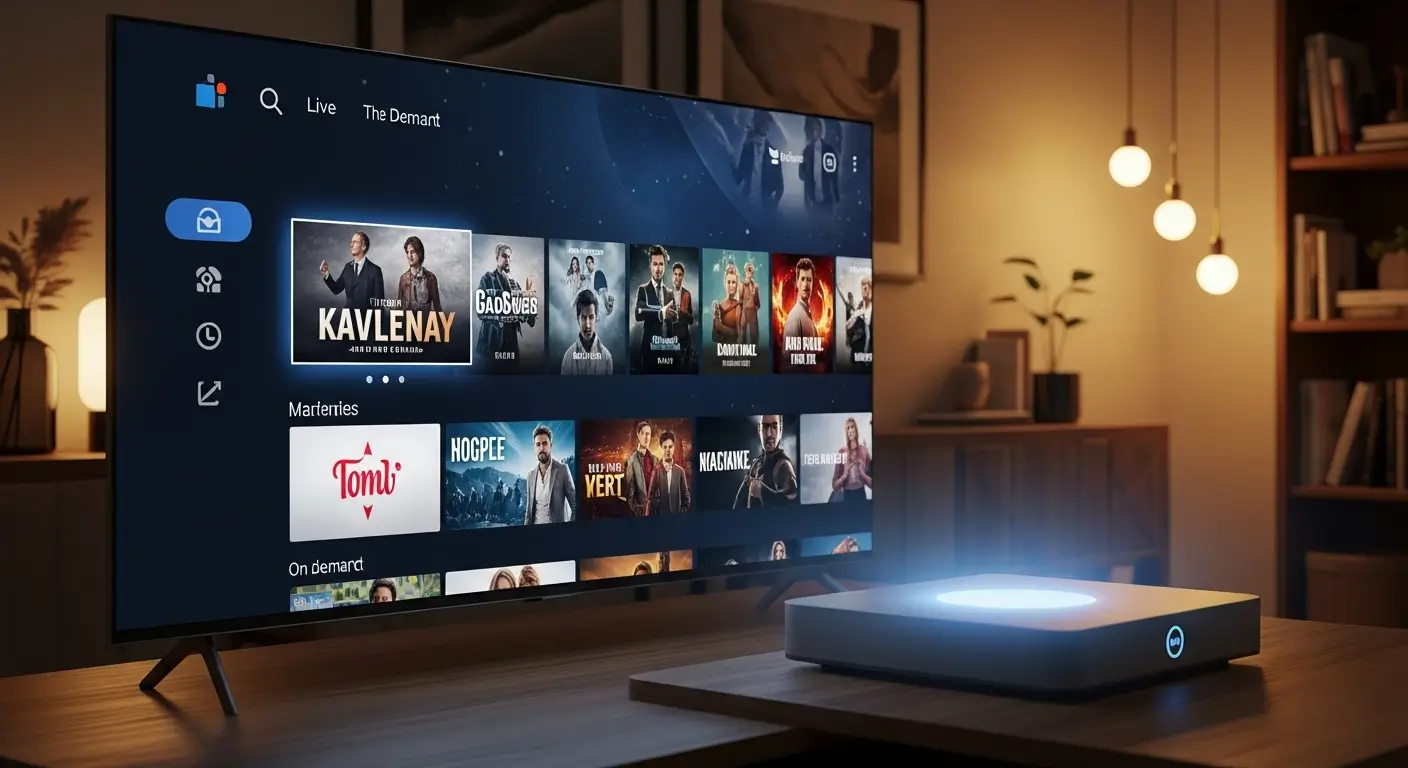
An IPTV box is a specialized streaming device that connects to your television and delivers content over the internet using Internet Protocol Television (IPTV) technology. Unlike traditional cable or satellite systems that transmit signals through coaxial cables or satellite dishes, an IPTV streaming box uses your home internet connection to provide access to live TV channels, movies, sports, and on-demand content.
These devices essentially transform any standard television into a smart TV capable of streaming content from around the world. The IPTV box acts as a bridge between your internet connection and your TV screen, decoding digital streams and presenting them in a user-friendly interface. Most modern IPTV boxes run on Android operating systems, though some use proprietary software designed specifically for streaming purposes.
The primary advantage of using an IPTV box is the vast content library it unlocks. While traditional cable packages limit you to predetermined channel lineups, IPTV technology provides access to international channels, niche sports leagues, foreign language programming, and extensive on-demand libraries. This flexibility has made IPTV boxes increasingly popular among cord-cutters and international viewers seeking content from their home countries.
The Evolution of IPTV Technology
IPTV technology has evolved significantly over the past decade. Early IPTV boxes were often clunky devices with limited processing power and poor user interfaces. Modern iterations feature powerful processors, ample storage, 4K streaming capabilities, and intuitive interfaces that rival premium streaming services. The technology has matured to the point where IPTV boxes now compete directly with established streaming platforms in terms of reliability and user experience.
How Does an IPTV Box Work?
Understanding how an IPTV box functions helps you appreciate its capabilities and troubleshoot potential issues. The process involves several technical steps that happen seamlessly in the background.
The Streaming Process Explained
When you select a channel or program on your IPTV box, the device sends a request through your internet connection to the IPTV service provider’s servers. These servers host or have access to vast content libraries stored in data centers around the world. The requested content is then transmitted as data packets through your internet connection to your IPTV box.
Your device receives these data packets, decodes them using specialized codecs (software that compresses and decompresses digital video), and converts them into audio and visual signals your television can display. This entire process happens in real-time for live channels or on-demand for recorded content. Advanced IPTV boxes use buffering technology to preload a few seconds of content, ensuring smooth playback even if your internet connection experiences brief fluctuations.
Network Requirements
The quality of your IPTV experience depends heavily on your internet connection. Most IPTV streaming boxes require minimum internet speeds for different content qualities:
| Content Quality | Minimum Speed Required | Recommended Speed |
| Standard Definition (SD) | 3-4 Mbps | 5 Mbps |
| High Definition (HD) | 5-8 Mbps | 10 Mbps |
| Full HD (1080p) | 10-15 Mbps | 20 Mbps |
| 4K Ultra HD | 25-35 Mbps | 50 Mbps |
These speeds represent the bandwidth needed per stream. If multiple people in your household use the IPTV box simultaneously or other devices are consuming bandwidth, you’ll need faster internet speeds to maintain quality across all streams.
Hardware Components
Inside every IPTV box, several key components work together to deliver your content:
The processor (CPU) determines how quickly your device responds to commands, switches channels, and loads content. Modern IPTV boxes typically feature quad-core or octa-core processors that handle multiple tasks simultaneously without lag.
RAM (Random Access Memory) affects multitasking capabilities and overall system smoothness. Most quality IPTV boxes include 2-4GB of RAM, which allows for smooth navigation between apps and channels without freezing or stuttering.
Storage capacity determines how many apps you can install and whether you can record content for later viewing. Basic models offer 8-16GB of storage, while premium IPTV streaming boxes provide 32GB or more, often with expandable storage options through SD cards or external hard drives.
The GPU (Graphics Processing Unit) handles video rendering and ensures smooth playback of high-resolution content. A powerful GPU is essential for 4K streaming and advanced features like picture-in-picture viewing.
Types of IPTV Boxes Available
The IPTV box market offers various device types, each designed for different user needs and technical requirements. Understanding these categories helps you select the most appropriate device for your situation.
Android-Based IPTV Boxes
Android IPTV boxes represent the most popular category in the market. These devices run modified versions of the Android operating system, providing access to the Google Play Store and thousands of streaming applications. The Android platform offers maximum flexibility, allowing users to install third-party apps, customize interfaces, and access both legitimate streaming services and IPTV applications.
Popular Android-based options include devices powered by Android TV (Google’s television-optimized operating system) and those running standard Android with custom interfaces. Android TV boxes typically offer better integration with Google services, voice search through Google Assistant, and Chromecast functionality built-in. Standard Android boxes provide more customization freedom but may have less polished interfaces.
The primary advantages of Android IPTV boxes include extensive app compatibility, regular software updates (on quality devices), and familiar Android interfaces that most users already understand from their smartphones. However, the open nature of Android also means these devices require more user knowledge to configure properly and maintain security.
Dedicated IPTV Set-Top Boxes
Some manufacturers produce IPTV boxes specifically designed for IPTV services without the broader app ecosystem of Android devices. These dedicated boxes typically come preloaded with IPTV applications and optimized interfaces for channel browsing and content discovery.
Dedicated IPTV set-top boxes often feature proprietary operating systems designed exclusively for streaming. This focused approach can result in more stable performance and simpler user interfaces, particularly for less tech-savvy users. However, the trade-off is reduced flexibility—you’re limited to the apps and services the manufacturer includes, with little ability to add additional functionality.
These devices work best for users who know exactly which IPTV service they want to use and don’t need access to other streaming platforms or applications. They’re also popular in regions where specific IPTV providers dominate the market and offer branded set-top boxes optimized for their services.
Hybrid Streaming Devices
Hybrid IPTV boxes combine traditional IPTV functionality with support for popular mainstream streaming services like Netflix, Disney+, Amazon Prime Video, and YouTube. These devices provide the best of both worlds—access to IPTV content alongside legitimate streaming platforms in a single interface.
Modern hybrid devices often include features like universal search that lets you find content across multiple services simultaneously, unified watchlists that combine content from different platforms, and intelligent recommendations based on your viewing history across all services. This integration creates a more seamless entertainment experience compared to switching between multiple devices or inputs.
The hybrid IPTV box approach appeals to users who want to maintain some cable-like channels through IPTV while also subscribing to popular streaming services. It eliminates the need for multiple remotes and devices, simplifying your entertainment setup.
4K and 8K IPTV Boxes
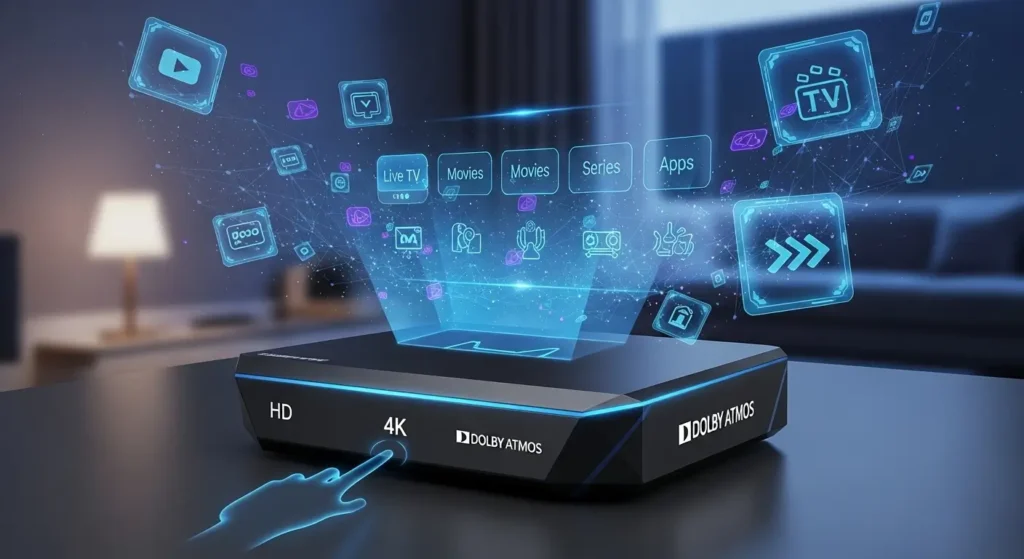
As television technology advances, 4K IPTV boxes have become the standard for new purchases, with 8K-capable devices beginning to emerge. These high-end devices support ultra-high-definition content streaming, HDR (High Dynamic Range) for improved color and contrast, and advanced audio formats like Dolby Atmos.
A 4K IPTV streaming box requires compatible content sources and a 4K television to display ultra-high-definition content. While 4K content is becoming more common, much IPTV content still streams in 1080p or lower resolutions. However, many premium 4K boxes include upscaling technology that improves the appearance of lower-resolution content on 4K displays.
When considering a 4K IPTV box, verify that your internet connection meets the bandwidth requirements (typically 25-50 Mbps for 4K streaming) and that your IPTV service provider actually offers 4K content. Purchasing a 4K-capable device without adequate internet speed or 4K content sources wastes the device’s potential.
Key Features to Look for in an IPTV Box
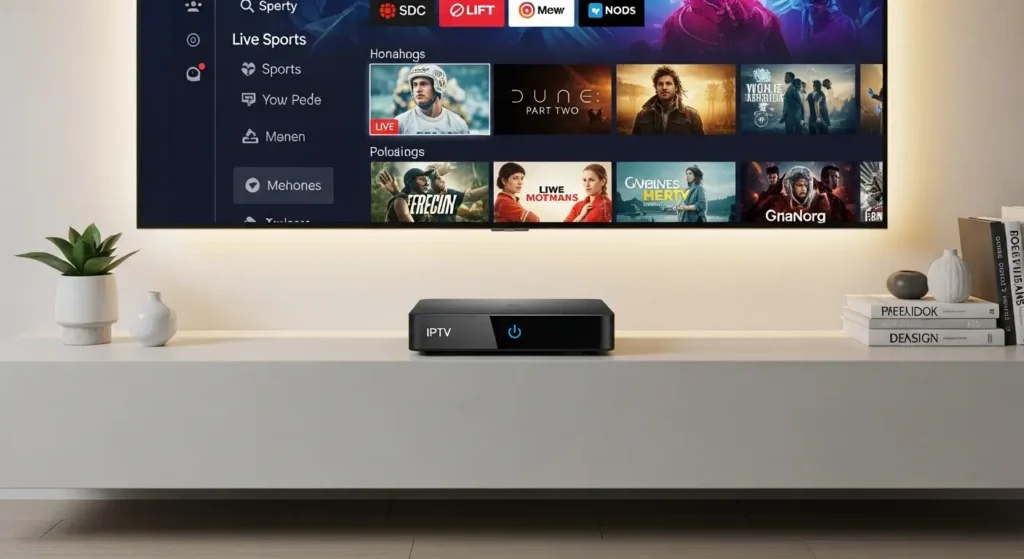
Selecting the right IPTV box requires evaluating several critical features that impact performance, usability, and long-term satisfaction. Not all devices are created equal, and understanding which features matter most helps you make an informed purchase decision.
Processing Power and Performance
The processor inside your IPTV box directly affects user experience. Look for devices with at least quad-core processors clocked at 1.5 GHz or higher for smooth operation. More powerful octa-core processors provide better performance for 4K streaming, gaming, and running multiple apps simultaneously.
RAM capacity is equally important. Budget devices with 1GB of RAM often struggle with modern streaming apps and interface navigation. Aim for at least 2GB of RAM for standard HD streaming, or 4GB if you plan to stream 4K content or use multiple apps concurrently. More RAM ensures your IPTV streaming box remains responsive even when multitasking.
Storage Options
Internal storage determines how many apps you can install and whether you can save content for offline viewing. While 8GB represents the minimum for basic functionality, 16GB or 32GB provides more flexibility for installing multiple streaming apps, games, and media files.
Many quality IPTV boxes include expandable storage through microSD card slots or USB ports. This feature proves valuable if you want to store downloaded content, install many applications, or use your device for local media playback from external drives. Devices with limited internal storage but expandable options offer better long-term value than those with fixed storage.
Connectivity Options
Comprehensive connectivity separates good IPTV boxes from great ones. Essential connectivity features include:
HDMI 2.0 or higher supports 4K video at 60fps and HDR content. Older HDMI 1.4 ports limit you to 4K at 30fps, which affects content quality.
Ethernet port provides more stable internet connections than Wi-Fi, particularly important for 4K streaming or households with congested wireless networks. While Wi-Fi convenience appeals to many users, wired connections deliver superior reliability.
Dual-band Wi-Fi (2.4GHz and 5GHz) offers flexibility for wireless connections. The 5GHz band provides faster speeds and less interference in crowded wireless environments, while 2.4GHz offers better range through walls and obstacles.
Multiple USB ports enable connecting external storage, keyboards, mice, or game controllers, expanding your IPTV box functionality beyond basic streaming.
Bluetooth support allows wireless connection of headphones, speakers, keyboards, and game controllers without occupying USB ports.
Remote Control Quality
The remote control significantly impacts daily usability of your IPTV box. Premium devices include sophisticated remotes with features like:
- Voice control for searching content by speaking rather than typing
- Backlit keys for visibility in dark rooms
- Air mouse functionality that lets you control an on-screen cursor by moving the remote
- Dedicated app buttons for quick access to popular services
- Programmable buttons that you can customize for specific functions
Budget IPTV boxes often include basic infrared remotes requiring line-of-sight to the device. Better remotes use Bluetooth or RF (radio frequency) technology that works without pointing at the box, even through cabinet doors.
Operating System and Interface
The operating system determines your IPTV box user experience and app compatibility. Android TV offers the most polished experience with Google’s backing, regular updates, and optimized apps. Standard Android provides more flexibility but may lack optimization for television viewing.
Evaluate the interface during research by watching video reviews. A well-designed interface should make finding content intuitive, provide clear navigation paths, and respond instantly to commands. Cluttered or sluggish interfaces frustrate daily use regardless of the device’s hardware capabilities.
Update Support and Longevity
Software updates maintain security, fix bugs, and add new features over your IPTV streaming box lifespan. Reputable manufacturers provide regular firmware updates, sometimes for years after purchase. Research the manufacturer’s track record for supporting older devices before buying.
Devices without update support become increasingly vulnerable to security issues and may lose compatibility with streaming services as apps require newer system versions. An IPTV box with strong update support maintains value longer than devices abandoned by manufacturers shortly after release.
Best IPTV Boxes in 2025
The IPTV box market offers numerous options across different price points and feature sets. While specific model recommendations change as manufacturers release new devices, understanding the categories helps you identify the best options when you’re ready to purchase.
Premium IPTV Boxes
Premium IPTV streaming boxes deliver top-tier performance, extensive features, and reliable long-term support. These devices typically cost $100-$200 but provide the best overall experience.
Premium devices generally include:
- Powerful octa-core processors for smooth 4K streaming
- 4GB RAM for excellent multitasking
- 32-64GB storage with expansion options
- Android TV operating system with Google Play certification
- Premium remote controls with voice search
- Gigabit Ethernet and Wi-Fi 6 support
- Regular software updates and long-term support
Popular premium options come from established brands with proven track records in the streaming device market. These manufacturers typically offer 1-2 year warranties, responsive customer support, and active user communities for troubleshooting assistance.
The investment in a premium IPTV box pays dividends through reliable performance, longevity, and frustration-free operation. If you watch television daily and want the best possible experience, premium devices justify their higher cost.
Mid-Range IPTV Boxes
Mid-range IPTV boxes priced between $50-$100 balance performance and affordability. These devices provide solid specifications without premium features or build quality. They work well for users with moderate streaming needs who don’t require cutting-edge performance.
Typical mid-range specifications include:
- Quad-core processors adequate for HD and some 4K content
- 2-4GB RAM for smooth operation
- 16-32GB storage
- Android TV or standard Android operating system
- Standard remote controls, sometimes with voice search
- Ethernet and dual-band Wi-Fi
- Periodic software updates from the manufacturer
Mid-range devices represent the sweet spot for many users. They deliver good performance for significantly less money than premium options, though you may encounter occasional slowdowns with very demanding content or heavy multitasking.
Budget IPTV Boxes
Budget IPTV boxes under $50 appeal to price-conscious buyers or those new to IPTV who want to test the technology before investing heavily. These devices make compromises in performance, build quality, and features but can adequately serve users with basic needs.
Budget device specifications typically include:
- Dual or quad-core processors with lower clock speeds
- 1-2GB RAM (sometimes barely adequate)
- 8-16GB storage
- Standard Android or basic proprietary operating systems
- Simple infrared remotes
- Wi-Fi only (no Ethernet port on some models)
- Limited or no software updates
Budget IPTV streaming boxes work for light users who mainly watch HD content, don’t run multiple apps simultaneously, and have patience for occasional interface sluggishness. They’re also reasonable backup devices or for secondary televisions that see minimal use.
However, extremely cheap devices (under $30) often prove more frustrating than their savings justify. They may struggle with HD content, freeze during navigation, or fail within months. Spending slightly more on a reputable budget device from an established brand typically provides much better value.
Specialty IPTV Boxes
Some manufacturers produce specialized IPTV boxes targeting specific niches or regions. These might include:
Sports-focused devices optimized for live sports streaming with features like multi-view (watching several games simultaneously), instant replay, and comprehensive sports channel listings.
International IPTV boxes preloaded with apps and channels popular in specific countries or language communities, often featuring interfaces in multiple languages and region-specific content guides.
Gaming hybrid boxes that combine IPTV functionality with Android gaming capabilities, including controllers and access to game stores.
These specialty devices appeal to users with specific needs that general-purpose IPTV boxes don’t address adequately. Research whether specialty features justify any premium pricing and if the device maintains good performance for standard IPTV functions.
How to Set Up Your IPTV Box
Setting up your IPTV box properly ensures optimal performance and an enjoyable viewing experience. While specific steps vary between devices, the general process follows similar patterns across most models.
Physical Connection and Setup
Step 1: Unbox and inspect your device Remove your IPTV box from its packaging and verify all components are included—the device itself, power adapter, HDMI cable (sometimes sold separately), remote control (with batteries), and user manual. Inspect for any visible damage before proceeding.
Step 2: Connect to your television Use an HDMI cable to connect your IPTV streaming box to an available HDMI port on your television. Note which HDMI port you use (HDMI 1, HDMI 2, etc.) as you’ll need to select this input on your TV. For best results, use HDMI 2.0 cables if your device supports 4K content.
Step 3: Connect to the internet For wired connections, plug an Ethernet cable from your router into the IPTV box Ethernet port. This provides the most stable connection for streaming. If using Wi-Fi, you’ll configure the wireless connection during initial setup.
Step 4: Connect power Plug the power adapter into your device and a power outlet. Most IPTV boxes power on automatically when connected, though some include power buttons. Wait for the device to boot completely—this may take 1-2 minutes on first startup.
Initial Software Configuration
Step 5: Select language and region Your IPTV box displays initial setup screens after booting. Select your preferred language and geographic region. Region settings affect available apps, content recommendations, and date/time formats.
Step 6: Connect to Wi-Fi (if applicable) If you didn’t connect via Ethernet, select your wireless network from the available networks list and enter your password. The IPTV box will test the connection and proceed once successfully connected.
Step 7: Sign in to Google Account (Android TV) Android TV-based IPTV boxes require Google Account sign-in to access the Play Store and Google services. You can sign in by entering credentials directly or by visiting a website on your computer/phone and entering a code displayed on your TV screen. The second method is often faster and easier.
Step 8: Configure settings Navigate through additional setup options including display resolution (let your IPTV box auto-detect for optimal results), audio output settings, parental controls, and privacy preferences.
Installing IPTV Applications
Step 9: Install your IPTV app Access the app store on your IPTV streaming box and search for your IPTV service provider’s application. Download and install it following on-screen prompts. Some IPTV services require sideloading apps not available in official stores—consult your provider’s instructions for this process.
Step 10: Configure your IPTV service Launch the IPTV application and sign in with your service credentials. Many IPTV boxes require entering an activation code, M3U playlist URL, or Xtream Codes API details provided by your IPTV service. Enter this information exactly as provided, as even small typos prevent proper functionality.
Step 11: Test your setup Select various channels across different categories to ensure everything works correctly. Test both live TV and on-demand content if your service offers both. Verify that video quality is acceptable and that audio plays without issues.
Optimization Tips
After basic setup, optimize your IPTV box performance with these adjustments:
Enable hardware acceleration in your IPTV app settings to use your device’s GPU for video decoding, reducing processor load and improving playback smoothness.
Adjust buffer settings if you experience frequent buffering. Increasing buffer size helps with unreliable internet connections but increases channel-switching time.
Disable unnecessary apps running in the background to free up RAM and processing power for your IPTV application.
Configure display settings to match your television’s capabilities. If you have a 4K TV and 4K content, ensure your IPTV box output resolution is set to 2160p.
Set up parental controls if children access your IPTV streaming box to restrict access to age-inappropriate content.
Legal Considerations
Understanding the legal landscape surrounding IPTV boxes is crucial for making informed decisions and avoiding potential legal issues. The technology itself is completely legal, but how you use it matters significantly.
Legal IPTV Services
Many legitimate companies offer IPTV box compatible services with proper licensing for the content they distribute. These include:
Telecommunications providers in many countries offer IPTV services as part of their internet and television packages. These services operate legally with content licenses from broadcasters and studios.
Streaming platforms like YouTube TV, Hulu + Live TV, Sling TV, and similar services provide legal live television streaming that works on most IPTV boxes. These platforms pay licensing fees to content owners and operate transparently as registered businesses.
International broadcasters sometimes offer legitimate IPTV services to serve expatriate communities or viewers interested in foreign content. These services obtain appropriate licenses for their content libraries.
Using your IPTV streaming box with these legal services poses no legal concerns. You’re accessing content that providers have the right to distribute, just like using streaming services on a smart TV or computer.
Illegal IPTV Services
Problems arise when IPTV boxes are used to access unauthorized content streams. Illegal IPTV services distribute copyrighted material without licensing agreements or permission from content owners. These services often advertise:
- Thousands of channels for suspiciously low monthly fees
- Access to premium sports channels, pay-per-view events, and movie channels without legitimate subscriptions
- No contracts or identification requirements
- Payment through untraceable methods like cryptocurrency
While the IPTV box hardware itself remains legal, using it to access pirated content may violate copyright laws in your jurisdiction. Content creators and distributors increasingly pursue legal action against both illegal service providers and subscribers who knowingly access pirated content.
Legal Risks and Consequences
Depending on your location, using illegal IPTV services through your IPTV box may result in:
Copyright infringement notices from your internet service provider warning about detected piracy activity on your connection.
Service disruptions as copyright holders identify and shut down illegal IPTV servers, leaving you without access despite paying for subscriptions.
Legal penalties including fines or, in extreme cases, criminal charges for copyright infringement. While enforcement typically targets service operators rather than individual users, some jurisdictions have pursued subscribers.
Security and privacy risks since illegal IPTV services often lack basic security measures. Your payment information, personal data, and viewing habits may be logged and sold, or your IPTV streaming box may be infected with malware through compromised apps.
How to Ensure Legal Use
Protect yourself by verifying your IPTV service’s legitimacy:
Research the provider by checking if they’re a registered business with clear contact information, physical address, and transparent terms of service.
Verify licensing by confirming the provider has necessary licenses for content they distribute. Legitimate services often display licensing information or partnerships with content owners.
Check pricing as unrealistically cheap services offering premium content typically operate illegally. If a deal seems too good to be true, it probably violates copyright.
Read reviews from independent sources to learn about other users’ experiences with the service and whether any legal issues have emerged.
Your IPTV box is a tool that can access both legal and illegal content. Choose legitimate services to enjoy the benefits of IPTV technology without legal risks or supporting piracy that harms content creators.
IPTV Box vs Other Streaming Devices
When considering an IPTV box, it’s helpful to understand how it compares to other streaming device options. Each device type offers distinct advantages and limitations depending on your needs.
IPTV Box vs Smart TV Built-in Apps
Modern smart TVs include built-in streaming capabilities that may seem to eliminate the need for a separate IPTV box. However, several factors favor dedicated streaming devices:
Performance differences between smart TV processors and dedicated IPTV streaming boxes are often significant. Smart TV manufacturers prioritize cost-efficiency over processing power, resulting in slower interface navigation, longer load times, and occasional stuttering that dedicated devices avoid. A quality IPTV box provides smoother, more responsive operation.
App selection and updates present another advantage for IPTV boxes. Smart TV manufacturers vary widely in their commitment to app updates and adding new streaming services. Many older smart TVs no longer receive app updates, leaving users unable to access newer services. Dedicated IPTV boxes receive updates longer and support more applications.
Longevity and upgradability favor IPTV boxes. When your smart TV’s built-in streaming capabilities become outdated, you face replacing the entire television or adding an external device anyway. Purchasing a separate IPTV box from the start costs less than early TV replacement and allows upgrading streaming capabilities independently.
Interface consistency benefits users who own multiple televisions. With built-in smart TV apps, each TV may have different interfaces and capabilities. Using the same IPTV box model on multiple TVs creates consistent experiences across your home.
However, smart TV apps offer one key advantage: convenience. There’s no additional device to purchase, connect, or configure. For users who only use a few major streaming services and don’t need advanced features, smart TV apps may suffice.
IPTV Box vs Amazon Fire TV Stick
Amazon Fire TV Stick represents a popular alternative to traditional IPTV boxes. These compact HDMI dongles offer streaming capabilities at attractive prices. Comparing them reveals different strengths:
Form factor and portability favor Fire TV Sticks. Their tiny size makes them ideal for travel or minimalist setups. An IPTV box requires more space and isn’t as portable, though this matters less for permanent home installations.
Performance capabilities generally favor dedicated IPTV boxes, particularly premium models. Fire TV Sticks, while adequate for most content, may struggle with demanding 4K streams or heavy multitasking. Mid-range and premium IPTV boxes offer superior processors and more RAM for smoother operation.
App flexibility varies between devices. Fire TV Stick prioritizes Amazon’s ecosystem and services. While it supports many apps, Amazon’s interface pushes its own content prominently. Android-based IPTV boxes typically offer more neutrality and flexibility for sideloading apps not available in official stores.
Cooling and longevity differ significantly. Fire TV Sticks’ compact design limits cooling, potentially affecting performance during extended use and long-term reliability. Full-size IPTV streaming boxes include better cooling solutions and generally last longer with consistent performance.
Price makes Fire TV Sticks attractive for budget-conscious buyers. However, comparing similar-priced devices shows budget IPTV boxes often offer better specifications. Fire TV Sticks excel in the ultra-budget category where portability and Amazon ecosystem integration matter most.
IPTV Box vs Apple TV
Apple TV represents the premium end of the streaming device market. Comparing it to IPTV boxes reveals different priorities:
Ecosystem integration is Apple TV’s strongest advantage. If you own iPhones, iPads, and Macs, Apple TV seamlessly integrates with your devices through AirPlay, HomeKit, and unified content libraries. Android-based IPTV boxes integrate better with Android devices and Google services.
Content curation and quality receive more attention from Apple. The Apple TV interface emphasizes high-quality content and premium services. While IPTV boxes access the same services, they don’t curate content as elegantly.
Price difference is substantial. Apple TV costs significantly more than most IPTV boxes with similar technical specifications. You’re paying for Apple’s ecosystem, interface design, and brand rather than superior hardware alone.
Flexibility and customization favor IPTV boxes. Apple TV’s closed ecosystem limits sideloading apps and customizing the interface. Android IPTV boxes allow extensive customization and installing apps from any source.
Gaming capabilities are comparable, with both supporting game controllers and offering app stores with games. However, Apple Arcade integration gives Apple TV an advantage for users interested in that service.
IPTV Box vs Roku Devices
Roku devices occupy a middle ground between Fire TV’s ecosystem approach and Android IPTV boxes’ flexibility:
Interface neutrality distinguishes Roku from Amazon and Apple devices. Roku doesn’t prioritize any content provider, creating a more balanced browsing experience similar to many IPTV boxes. However, Android IPTV boxes still offer more customization options.
Channel availability favors Roku in some ways. Many services develop Roku apps even if they skip Android TV or Fire TV. However, IPTV boxes running standard Android can sideload virtually any Android app, providing ultimate flexibility.
Simplicity and ease of use make Roku devices excellent for non-technical users. The interface is straightforward and consistent across all Roku models. Some IPTV boxes with more complex interfaces may overwhelm users preferring simplicity.
Performance tiers exist in both product lines. Budget Roku devices compare to budget IPTV boxes, while premium Roku models compete with mid-range IPTV devices. Specification comparison at each price point helps determine better value.
Troubleshooting Common Issues
Even quality IPTV boxes occasionally experience problems. Understanding common issues and their solutions helps you resolve problems quickly without technical support.
Buffering and Playback Issues
Buffering represents the most frequent complaint among IPTV box users. When your IPTV streaming box buffers constantly, several factors might be responsible:
Internet speed insufficiency causes most buffering. Test your internet speed using online speed tests during peak hours. Compare results to the requirements for your desired content quality. If your speed falls short, contact your internet provider about upgrading or troubleshoot network issues reducing your speeds.
Wi-Fi connection problems affect many users. Wi-Fi signals weaken through walls and suffer interference from other devices. Try these solutions:
- Move your IPTV box closer to your router if possible
- Switch to the 5GHz Wi-Fi band if your device supports it (less crowded than 2.4GHz)
- Connect via Ethernet cable for the most reliable connection
- Restart your router to clear any temporary issues
- Position your router centrally in your home away from interference sources
Server-side issues from your IPTV provider sometimes cause buffering despite adequate internet speeds. If buffering affects specific channels while others play smoothly, the problem likely originates with your provider’s servers. Contact customer support to report the issue. Consider switching providers if problems persist.
Device overheating can cause performance degradation. Ensure your IPTV box has adequate ventilation with clear air circulation around it. Don’t stack other devices on top or place it in enclosed cabinets without ventilation. If overheating continues, consider using a small USB fan to improve cooling.
App Crashes and Freezing
When your IPTV box applications crash or the device freezes completely, try these troubleshooting steps:
Clear app cache and data to resolve corrupted files causing crashes. Navigate to Settings > Apps > [Your IPTV App] > Storage, then select “Clear Cache” and if problems persist, “Clear Data” (note this removes settings and login information).
Update your apps to the latest versions as updates often fix stability issues. Check your IPTV streaming box app store for available updates to your IPTV application and other frequently used apps.
Restart your device regularly to clear memory and reset system processes. A simple restart resolves many temporary glitches. Hold the power button until the shutdown menu appears, select Restart, and wait for your IPTV box to boot completely.
Factory reset serves as a last resort for persistent problems. This erases all settings and installed apps, returning your device to its original state. Navigate to Settings > Backup & Reset > Factory Data Reset. After resetting, you’ll need to reconfigure everything and reinstall apps.

Tried Luckywin777login – seems luck was on my side! Decent site with some familiar games. Worth taking a spin if you’re looking for a new place. Check it out for yourself: luckywin777login