British IPTV Service • UK viewing and subscription information • Contact support
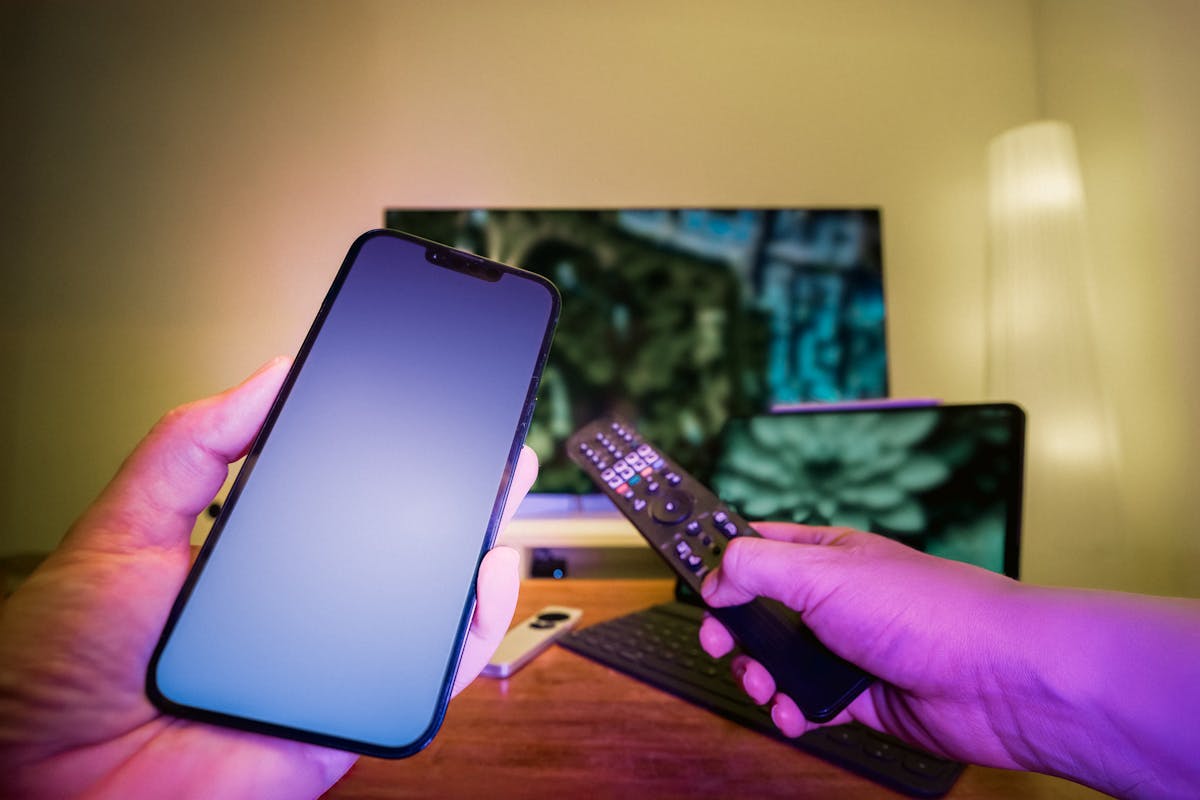
Modern living room with a television and streaming setup
British viewing • Subscription information • Device guidance

British IPTV Plans for UK Homes

Choose a British IPTV plan that fits your screen count and budget.

Compare four British IPTV subscription periods, advertised features and device discounts before asking on WhatsApp.

Need help choosing British IPTV? Message our team on WhatsApp for a quick plan recommendation.

01 Clear plan periods02 Device-first guidance03 Direct enquiries
Plans at a glance

Straightforward subscription pricing

Choose a British IPTV plan for 1, 3, 6 or 12 months, then select your device count to see your total.

CHOOSE YOUR SETUP

Choose how many devices you need for your British IPTV plan to see your discounted total.

1 device selected · Standard single-device price

SUBSCRIPTION PLAN

1 Month

£11.00 / 1 month
/ 1 device£11.00 per device

Flexible monthly access

  • SD / HD / Full HD / 4K options
  • 38,000+ channels (advertised)
  • 98,000+ on-demand titles (advertised)
  • 50,000+ series entries (advertised)
  • Server and video-library updates
  • Automatic channel-list updates
  • EPG and time-shift guide where supported
  • Android, iOS, PC and smart TV compatibility
  • Quick delivery after order confirmation
  • 24/7/365 support (advertised)
Choose 1-month plan on WhatsApp ↗
SUBSCRIPTION PLAN

3 Months

£22.00 / 3 months
/ 1 device£22.00 per device

A practical seasonal choice

  • SD / HD / Full HD / 4K options
  • 38,000+ channels (advertised)
  • 98,000+ on-demand titles (advertised)
  • 50,000+ series entries (advertised)
  • Server and video-library updates
  • Automatic channel-list updates
  • EPG and time-shift guide where supported
  • Android, iOS, PC and smart TV compatibility
  • Quick delivery after order confirmation
  • 24/7/365 support (advertised)
Choose 3-month plan on WhatsApp ↗
SUBSCRIPTION PLAN

6 Months

£34.00 / 6 months
/ 1 device£34.00 per device

A longer viewing window

  • SD / HD / Full HD / 4K options
  • 38,000+ channels (advertised)
  • 98,000+ on-demand titles (advertised)
  • 50,000+ series entries (advertised)
  • Server and video-library updates
  • Automatic channel-list updates
  • EPG and time-shift guide where supported
  • Android, iOS, PC and smart TV compatibility
  • Quick delivery after order confirmation
  • 24/7/365 support (advertised)
Choose 6-month plan on WhatsApp ↗
SPORTS & COMPETITIONS

European football and major sports

Explore sports viewing guides and compare your British IPTV plan.

FILMS & ENTERTAINMENT

Popular streaming and entertainment brands

Browse entertainment guides and choose a British IPTV package for your screens.

They do not mean that a platform subscription or its exclusive catalogue is included; confirm current plan details before ordering.

Choose your plan, select one, two or three devices, and send the package you prefer to our WhatsApp team.

A clearer starting point

Choose a British IPTV plan for your household

Pick a British IPTV package, choose your devices and get started with a simple WhatsApp enquiry.

Choose the British IPTV setup that matches your screens and budget.

01

Flexible British IPTV packages

Choose a British IPTV package for 1, 3, 6 or 12 months.

Clear prices make it easy to find a plan for your budget.

02

Made for your screens

Explore British IPTV options for compatible Smart TVs, streaming devices, mobiles and computers.

Choose your screen and find a simple setup guide.

03

Order through WhatsApp

Send your British IPTV plan and device count to our team.

Get help with the next step and your setup questions.

Compatible setup

Enjoy British IPTV on your preferred device

Choose a device for your British IPTV setup and explore a matching guide.

Choose your screen and explore a British IPTV setup guide for the player you prefer.

  • Smart TVs and Android TV devices
  • Fire TV and compatible streaming sticks
  • Android and iOS phones or tablets
  • Windows PCs and compatible players
View device setup guides →
Television and home streaming devices in a living room
British IPTV made simple

How to compare British IPTV with confidence

Choose your British IPTV plan, select your devices and message our team to get started.

Choose your plan period

Choose a British IPTV plan for 1, 3, 6 or 12 months.

Match your device count

Choose devices for your British IPTV plan and see the available discount.

Compare package features

Explore British IPTV SD, HD, Full HD and 4K options listed in the plans.

Order through WhatsApp

Send your British IPTV plan and device choice for help getting started.

British IPTV for UK households

A subscription built around your screens, plans and budget

Compare British IPTV packages, device options and viewing features in one place. Choose a period, see your total and start your order through WhatsApp.

One place to compare your subscription

British IPTV gives households a way to explore internet-delivered television through a compatible screen and player app. Start with the package, check the devices you want to use, then choose the subscription period that matches your budget.

The British IPTV plans on this website are arranged around simple periods: one month, three months, six months, and twelve months with one additional month included. The price cards show the single-device price and update when you choose more devices.

That makes it easier to compare the British IPTV offer without jumping between separate product pages. You can see the price, device count, advertised features and WhatsApp order option together.

Use the plan selector first if you already know how many screens you need. If you are still comparing, open the British IPTV package page for the package details or visit the customer reviews page.

A setup for the way your household watches

Some customers mainly watch on a living-room Smart TV. Others prefer a Fire TV Stick, Android device, phone, tablet or computer. A useful British IPTV package begins with the screen you already own rather than buying equipment you may not need.

For a single screen, compare the one-device plan. For a home with more than one viewing point, use the two-device or three-device selector to see the discount applied to the total.

What makes a plan easier to choose?

Clear pricing is the starting point. You can compare the monthly commitment, the total cost, the number of devices and the advertised features before sending a message.

The British IPTV service is organised to make the next step straightforward. Select your plan, choose your devices, and use the WhatsApp button to send the exact period you are interested in.

If you are deciding between two British IPTV package lengths, think about how often you watch and whether you want to commit for a longer period. The annual option includes one additional month at no extra plan charge.

Explore the one-month package, three-month package, six-month package or twelve-month offer for a closer look.

Simple support before you order

Not sure which app to use? Send the device model and the plan period you prefer. The team can help you identify the next setup step and direct you to a relevant guide.

For a quick enquiry, use the WhatsApp buttons on the page. A short message is enough to start: name your device, choose your plan period and ask about the package.

Clear package prices

Compare four British IPTV plan periods with the total displayed in pounds. The plan cards put the main price information together.

View British IPTV package prices →

Choose your device count

Select one, two or three devices and see the available British IPTV multi-device saving of 15% or 20% on the total.

Compare multi-device plans →

Compare package features

See the British IPTV SD, HD, Full HD and 4K options listed with the packages and choose the screen that suits your setup.

Explore package features →

Direct WhatsApp order

Send a short message with your plan choice and device count. The order buttons already include the selected package period.

Message the team ↗
Compatible screens

Enjoy British IPTV on the device you already own

Choose a screen first, then match it with a player app and a subscription period. The package selector makes it easy to compare one, two or three devices.

Smart TVs

Use the television that is already part of your living room. British IPTV can be set up through a compatible Smart TV app or another supported player method.

Before ordering, check the TV model and operating system. If you want help finding a suitable player, open the IPTV app guide.

Open the Smart TV app guide →

Android TV and Android boxes

Android TV and Android-based streaming devices offer a choice of player apps and remote-friendly interfaces. Pick the app that feels clear on your television and supports your login details.

See the TiviMate guide for player setup ideas and screen navigation.

Open the TiviMate setup guide →

iPhone and iPad

Mobile viewing can suit travel around the home or a second personal screen. Check app compatibility on your iOS version and keep your subscription details ready for setup.

Compare the IPTV player guide before choosing an app.

Compare IPTV player apps →

Windows PC and laptop

A computer can be useful for a desk setup, a larger monitor or quick testing before you move to the television. Choose a player that supports your device and preferred viewing layout.

Use the UK setup guide to organise your first steps.

View the UK IPTV setup guide →

Tablets and secondary screens

A tablet offers a flexible screen for a bedroom, kitchen or personal viewing space. If you plan to use more than one screen, compare the multi-device selector before placing the order.

Read the multi-device IPTV guide for a clear breakdown.

Explore multi-device setup →

Already know your device? Choose a British IPTV plan that matches the number of screens you want to use.

Choose a device plan ↗
Built for different viewing habits

British IPTV for live sport, films, series and family time

British IPTV can fit different routines at home. Start with the type of viewing you enjoy, choose the screen that feels right and compare the subscription plans above.

Films and movie evenings

Turn a regular evening into a home cinema session. A Smart TV or streaming stick can make it simple to browse a large screen, while a clear player layout helps you move between categories.

Explore the service guide and the player app guide when planning your setup.

Explore IPTV service details →

Series and on-demand viewing

For series fans, a tidy on-screen menu and an organised library can make choosing the next episode easier. Use a screen that is comfortable for longer sessions and a player with simple navigation.

Read about EPG and app features before you settle on your player.

Read the EPG app guide →

Shared family viewing

Households often have different viewing habits. A shared living-room television, a personal tablet and a bedroom screen may all be part of the same routine.

Choose a British IPTV device count that matches your household, then explore the multi-device guide.

Compare multi-device IPTV →

One package, different ways to enjoy your screen

Some viewers head straight to live television. Others prefer to browse movies, series, documentaries or family entertainment. A British IPTV setup should start with the viewing style you want and the device you find easiest to use.

Use the subscription guide to explore package details, then return to the pricing cards to choose a period.

Browse the entertainment inspiration gallery

The ten British IPTV gallery images above connect to relevant site guides. Open a football image for sports-related reading, a family image for multi-device information or a series image for player and EPG guidance.

Each image is an internal link, so you can explore the site without leaving BritishIPTVService.com. When you find the guide that matches your interest, use the plan link to return to the available packages.

A better home setup

Choose British IPTV viewing quality and a setup that suits your screen

A comfortable British IPTV experience combines the right package, a compatible player and a reliable connection at home.

Pick the quality option for your screen

The plans list SD, HD, Full HD and 4K options. A smaller mobile screen, a standard television and a large 4K display can each suit a different viewing preference.

When choosing British IPTV, think about the display you use most often. If you watch on a large television, you may prefer to explore the higher-resolution options shown in the package information.

A clear picture also depends on your device and home network. Keep your streaming device updated, use a stable Wi-Fi signal or an Ethernet connection where practical, and close downloads that compete with your viewing time.

Keep your home streaming setup simple

Place the router where your main television can receive a strong signal. If your living room is far from the router, consider a wired connection or a reliable mesh access point.

For British IPTV on a mobile device, use a dependable home Wi-Fi network when available. A consistent connection helps the player maintain a smoother experience during longer sessions.

Choose a player with controls you can use easily. Good menus, favourites, a readable programme guide and a familiar remote layout make daily browsing more comfortable.

Standard viewing

A practical option for smaller screens and everyday viewing where a lower data rate is preferred.

High definition

A familiar choice for many televisions and mobile screens, with a sharper picture than standard definition.

Ultra-high resolution

Explore the 4K option listed in the plans when using a compatible display and supported content.

Compare the viewing options included in the plan cards and pick the British IPTV package that suits your screen.

View package details ↗
Apps and device setup

Match your British IPTV package with a player you like

A familiar player can make your television easier to browse. Explore app guides for Fire TV, Android TV, TiviMate, IPTV Smarters Pro, EPG and Kodi.

TiviMate player

TiviMate is a player option many Android TV users research for its television-style layout. Review the app interface and setup steps, then decide whether it suits the way you browse channels.

Explore TiviMate player setup →

IPTV Smarters Pro

IPTV Smarters Pro is another player name customers may compare when choosing an app. Check the version, device compatibility and available login options before installing.

Open the IPTV Smarters Pro guide →

EPG and TV guide

An electronic programme guide can make it easier to browse schedules and see what is coming next. Choose a player that displays guide data in a layout you can read.

Explore EPG player features →

Fire TV player apps

Fire TV users can compare player apps by remote navigation, screen layout and supported login details. Choose a familiar app experience before setting up a subscription.

Compare Fire TV player apps →

Kodi and other players

Some viewers already use Kodi or another media player. Explore the setup guide and confirm the player method you prefer before contacting the team.

Open the Kodi IPTV guide →

Player setup basics

Keep your device model, app name and preferred plan period ready. That gives the support conversation a clear starting point and makes it easier to find the relevant setup page.

Follow the UK IPTV setup steps →

Why the app matters

A subscription and a player app do different jobs. The British IPTV package provides the subscription access, while the player is the software you use to organise and watch content on your screen.

Choosing an app that feels comfortable can improve everyday browsing. Look at menus, favourites, search, EPG display and how easily you can enter your login details.

Follow a guide before setup

Our UK app guides explain the differences between player choices and show the questions to consider for different devices. Start with the article for your screen rather than following a generic setup for another device.

Visit the IPTV app overview, then use the installation guide if you want a step-by-step reference.

Plan periods and savings

Find the British IPTV subscription length that fits

Choose a short or extended package, compare the total and select the number of devices you want to use.

1-month British IPTV package

The one-month plan is a direct way to start with a short subscription period. It is priced at £11 for one device and keeps the initial commitment simple.

Choose it when you want a shorter period, or when you want to keep your first order straightforward. The plan page has the same package details and a WhatsApp enquiry option.

View 1-month plan details →

3-month British IPTV package

The three-month plan costs £22 for one device. It gives you a longer period than the monthly option while keeping the total package price easy to compare.

Choose this period if you prefer to arrange a few months at once. Open the dedicated page for its subscription details and order shortcut.

View 3-month plan details →

6-month British IPTV package

The six-month plan costs £34 for one device. It provides a longer subscription period for customers who already know the screen and app they want to use.

Compare it with the three-month price and consider how often you use your television setup before selecting the package.

View 6-month plan details →

12 months plus one free

The annual British IPTV offer is £50 for one device and includes one additional month. It is the longest plan period shown in the pricing table.

For customers who prefer one longer arrangement, this plan puts the full period and total price together before they message the team.

View the 12-month + 1 free plan →

Choose one, two or three devices

The device selector above updates the package total. One device keeps the standard price, two devices receive a 15% discount, and three devices receive a 20% discount.

Compare the total rather than looking only at a per-device figure. The price cards display both the plan amount and the selected device count to make the calculation easier to follow.

Renew when you want to continue

Existing customers can open the renewal page for a direct route to subscription renewal information. You can also browse the renew British IPTV subscription page.

Keep your chosen package period and device count ready, then send a short WhatsApp message to get the next step.

More screens, one clear choice

Choose a multi-device package for your home

Compare one, two or three devices and see the matching British IPTV price before placing your order.

One screen for you, another for the household

Many homes have more than one place to watch. A main television may be used in the living room, while another screen is available in a bedroom or shared space.

The British IPTV device selector lets you compare one, two or three devices in the same pricing table. Select the number that matches your setup and see the discount reflected in the total.

Two devices receive a 15% saving. Three devices receive a 20% saving. The same plan period can be compared at each device level.

Plan for the screens you actually use

Before you order your British IPTV plan, think about which devices are part of your regular routine. You may have one Smart TV and one Fire TV Stick, or a television alongside a phone or tablet.

Choose the closest device count in the selector. If you are unsure how your screens should be arranged, ask the team on WhatsApp and mention the device models you want to use.

Our multi-device IPTV guide covers the main questions about device counts and household viewing.

Single-device setup

Choose one device for a simple television or personal-screen setup at the standard plan price.

Two-device setup

Select two devices to see the 15% multi-device discount applied to your selected package.

Three-device setup

Select three devices to see the 20% multi-device discount applied to your selected package.

Ready to compare your household setup? Select a device count above and choose the British IPTV period you prefer.

Compare device discounts ↗
A simple order flow

Start your British IPTV order in four steps

Choose a package, select the device count and send a short message. The website keeps the plan and order route together.

Select a plan

Choose one, three, six or twelve months from the pricing cards. Compare the total and select the period that suits your budget.

Choose devices

Select one, two or three devices. The pricing table updates the total and shows the available discount for your setup.

Send WhatsApp

Press the button on your chosen plan. A short pre-filled message opens with the selected subscription period.

Get started

Tell the team which device you plan to use. Follow the next setup steps for your preferred player and screen.

Keep your first message short

You do not need to write a long enquiry. Select the plan card and the WhatsApp message will already mention the period you are interested in.

You can add your device model in the message. For example, mention Smart TV, Fire TV Stick, Android TV, iPhone, iPad or Windows PC.

Get the package information you need

Use WhatsApp to ask about the plan, device setup or the next step. The team can help you find the right page and explain the subscription process.

To begin, use the get package page or send a message directly using the button below.

Designed around the customer

British IPTV features and direct support for your setup

A British IPTV package should be easy to compare and straightforward to order. Explore the listed package features and use the support route when you need help.

Ongoing catalogue updates

The plan details list server and video-library updates alongside automatic channel-list updates. The aim is to keep the package information and your player setup easy to follow.

Programme guide features

The plans list an EPG and time-shift guide where supported. An EPG can help you browse programme information in a familiar schedule-style layout.

Explore EPG and TV guide options →

Support when you need a hand

The package advertises 24/7/365 support. Use WhatsApp to ask about your selected package, player app or device setup and get help with the next step.

Support that starts with your device

Helpful setup advice begins with the details of your screen. Include the brand and model of your Smart TV, the version of your Fire TV device or the name of your phone or tablet.

For app questions, tell the team whether you are using TiviMate, IPTV Smarters Pro, Kodi or another compatible player. This makes the conversation more specific and helps you find the guide that matches your setup.

Find the right page without searching all over again

Use the installation guide for setup information, the TiviMate article for player details, or the IPTV Smarters Pro guide for that app.

If your question is about an existing plan, visit the renewal page or contact the team using WhatsApp.

Helpful UK guides

Explore the British IPTV articles and setup guides

Find practical pages about subscriptions, providers, reviews, apps, devices, trials and UK viewing.

Browse by the question you have

The British IPTV guide library brings together plan comparisons, provider reviews, player apps, setup articles, channel topics and UK viewing information. Open the category that matches what you want to do next.

These pages are designed to support a purchase decision. You can compare providers, explore player options, see what to look for in a subscription and return to the pricing section when you are ready.

Use the guides alongside the plan cards

You do not need to read every article before choosing a package. Open the guide that matches your device or viewing interest, then return to the pricing table to choose a plan and device count.

For the full library, visit the British IPTV blog or browse the British IPTV guides category.

Provider and subscription choices

Apps, players and compatible devices

Reviews and customer decision guides

Trials, channels and entertainment

UK rights and responsible viewing

Explore the service

British IPTV pages for packages, renewals and customer information

Open the page that matches the task you want to complete, whether you are comparing a new plan or managing an existing subscription.

Refund information

Read the refund policy page for the published policy and the route for raising a request.

Read the refund policy →
Quick answers before you order

British IPTV subscription questions

Find quick answers about plan lengths, device discounts, player apps and the order process.

Which British IPTV plan can I choose?

The pricing table shows one month for £11, three months for £22, six months for £34, and twelve months plus one free month for £50. Select a card to begin your enquiry.

Can I choose more than one device?

Yes. Use the selector for one, two or three devices. Two devices receive a 15% discount and three devices receive a 20% discount, with the total updating in the pricing cards.

Which devices can I use?

The plan information lists Android, iOS, PC and Smart TV compatibility. You can also open our Firestick, Android TV, app and player guides to explore setup options.

Which app should I install?

Choose a player that is compatible with your device and supports the login method supplied for your subscription. Our guides cover TiviMate, IPTV Smarters Pro, Fire TV, Kodi and EPG apps.

Does the annual plan include an extra month?

Yes. The 12-month package is shown as 12 months plus one free month for £50 on the single-device price. Choose the annual card to send an enquiry.

How do I order a British IPTV package?

Select a plan, choose your number of devices and press its WhatsApp button. The message opens with the package period so you can start with a short enquiry.

Can I ask for help with setup?

Yes. Send the device model and player app name in your WhatsApp message. You can also use the setup and installation articles linked in the guide library.

Where can I find renewal or refund information?

Use the renewal page for subscription renewal information and the refund policy page for the published refund process. Both links are available in the service pages section above.

Have a question about a plan or device? Send your chosen period and screen model to the team.

Ask on WhatsApp ↗
Choose your plan today

Ready to start with British IPTV?

Choose your British IPTV plan and device count, then message our team on WhatsApp to get started.

Get started on WhatsApp ↗